Competency-based education
EPA progress by stage, trend charts and competence committee dashboards draw on the same assessments.
Assessment and evaluation
Elentra runs your program's assessments and evaluations in one place: workplace assessments on your own forms, mapped to your curriculum tags, along with course and rotation evaluations, exams and a gradebook. Forms go out on the schedules you set, staff see every outstanding task, and each result sits on the learner's record.
Dashboards
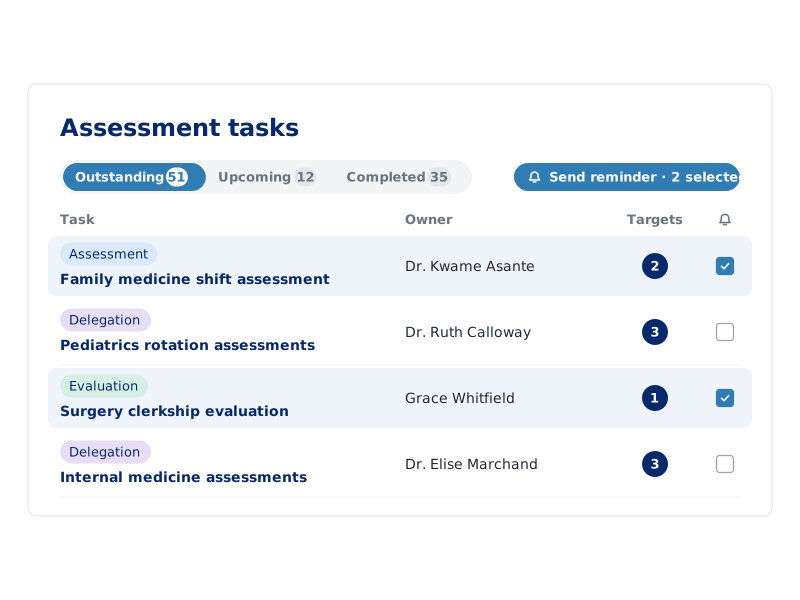
Administrators create and manage assessments, evaluations, distributions, forms and reports from one Assessment and Evaluation dashboard. Tabs list the outstanding, upcoming, completed and deleted tasks for the faculty and learners in their program, so staff can send a reminder or reassign a task without chasing it by email.
Faculty and learners each have their own dashboard, with the tasks they need to complete and the assessments completed about them.
Workplace assessment
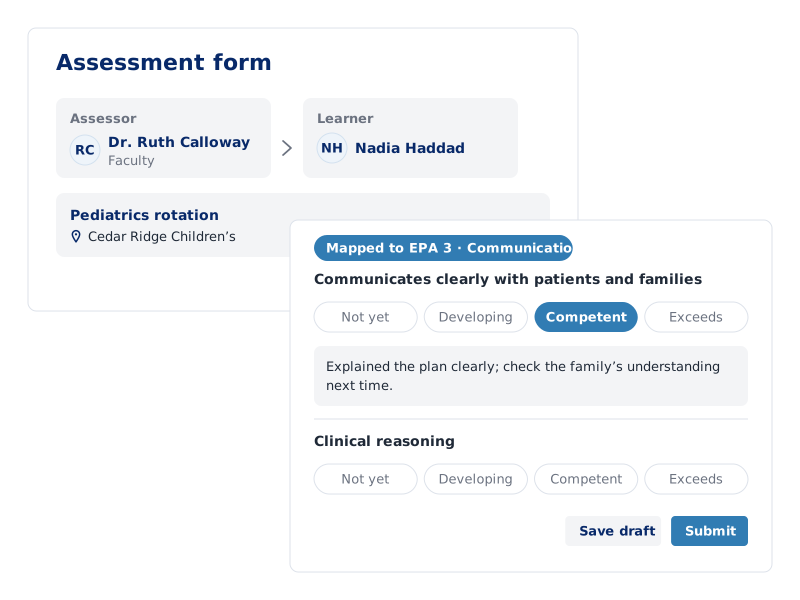
Build assessment forms from your program's own items and rating scales, and map each item to your curriculum tag sets, including Entrustable Professional Activities (EPAs). Faculty and preceptors assess learners in clinical settings, and learners complete self, peer and small-group assessments.
Forms go out the way your program works:
Evaluation
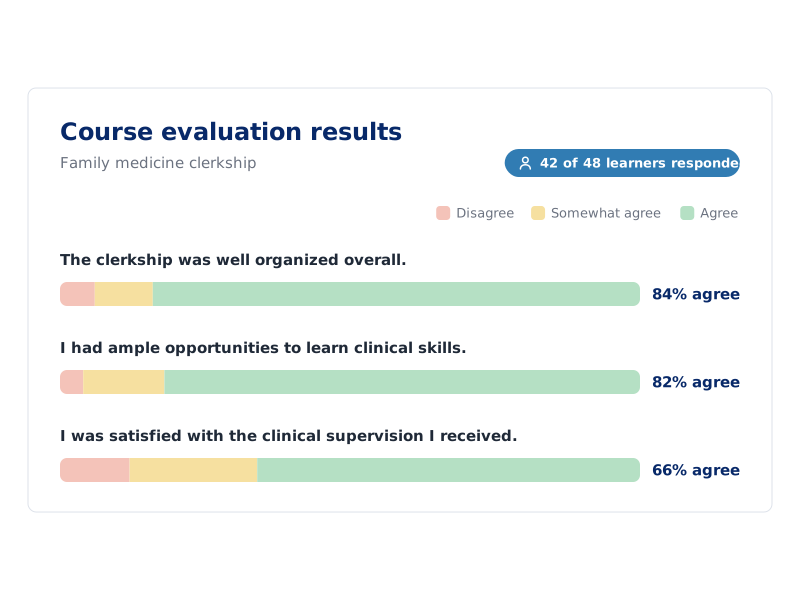
Learners evaluate courses, course units, rotations and faculty on your program's own evaluation forms, sent out on the same schedules as assessments. Reports show the responses to each question and how many evaluators have completed the form.
Program leaders see how a course or rotation is going while it runs, and bring the same results to curriculum review and program evaluation.
Gradebook
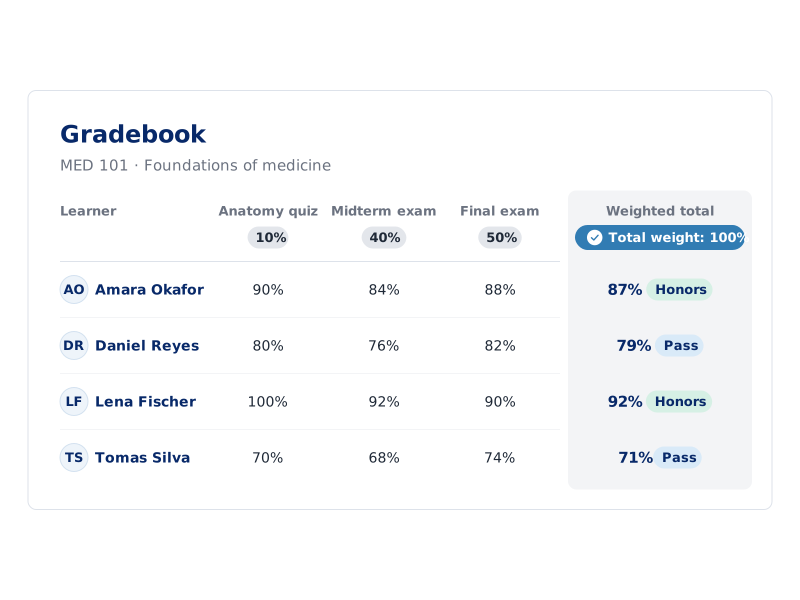
Each course has a gradebook for assignments, exams and the assessments built in Elentra. Set a weight for each one, and the grade spreadsheet shows every learner's weighted total, converted to a letter or scale value by the course's grading scale.
Learners submit assignments to drop boxes and see the grades their instructors release in My Gradebook. Grades can be imported from a file or a quiz, and exported.
One record
Every assessment in Elentra sits on the learner's record, next to their curriculum, schedule and clinical rotations.
EPA progress by stage, trend charts and competence committee dashboards draw on the same assessments.
Rotation-based assessments follow the rotation schedule, so each learner on service gets the right form for that rotation.
Items mapped to curriculum tags show where each standard is assessed, in Curriculum Explorer and accreditation reports.
FAQ
Elentra runs a health professions program's assessments and evaluations in one system: workplace assessments on the program's own forms, mapped to its curriculum tags and EPAs, course and rotation evaluations, exams and a gradebook. Forms go out on schedules the program sets, administrators see every outstanding task, and each result sits on the learner's record.
Yes. Programs build assessment and evaluation forms from their own items and rating scales, and map each item to their curriculum tag sets, including Entrustable Professional Activities (EPAs). Faculty and preceptors assess learners, and learners complete self, peer and small-group assessments.
Elentra sends forms out through distributions, which follow the way a program works:
Administrators can see every task a distribution creates and send reminders.
Yes. Each course has a gradebook for assignments, exams and Elentra assessments, with a weight for each. The grade spreadsheet shows each learner's weighted total, and the course's grading scale converts it to a letter or scale value. Learners submit assignments to drop boxes and see released grades in My Gradebook.